 Coverlet
How to play Coverlet on iPhone and iPad
A daily puzzle you can learn in a minute, return to at your own pace, and turn into a quilt one solved board at a time.
By Mourad Hamdi · Last reviewed
 Download Coverlet for iPhone and iPad &
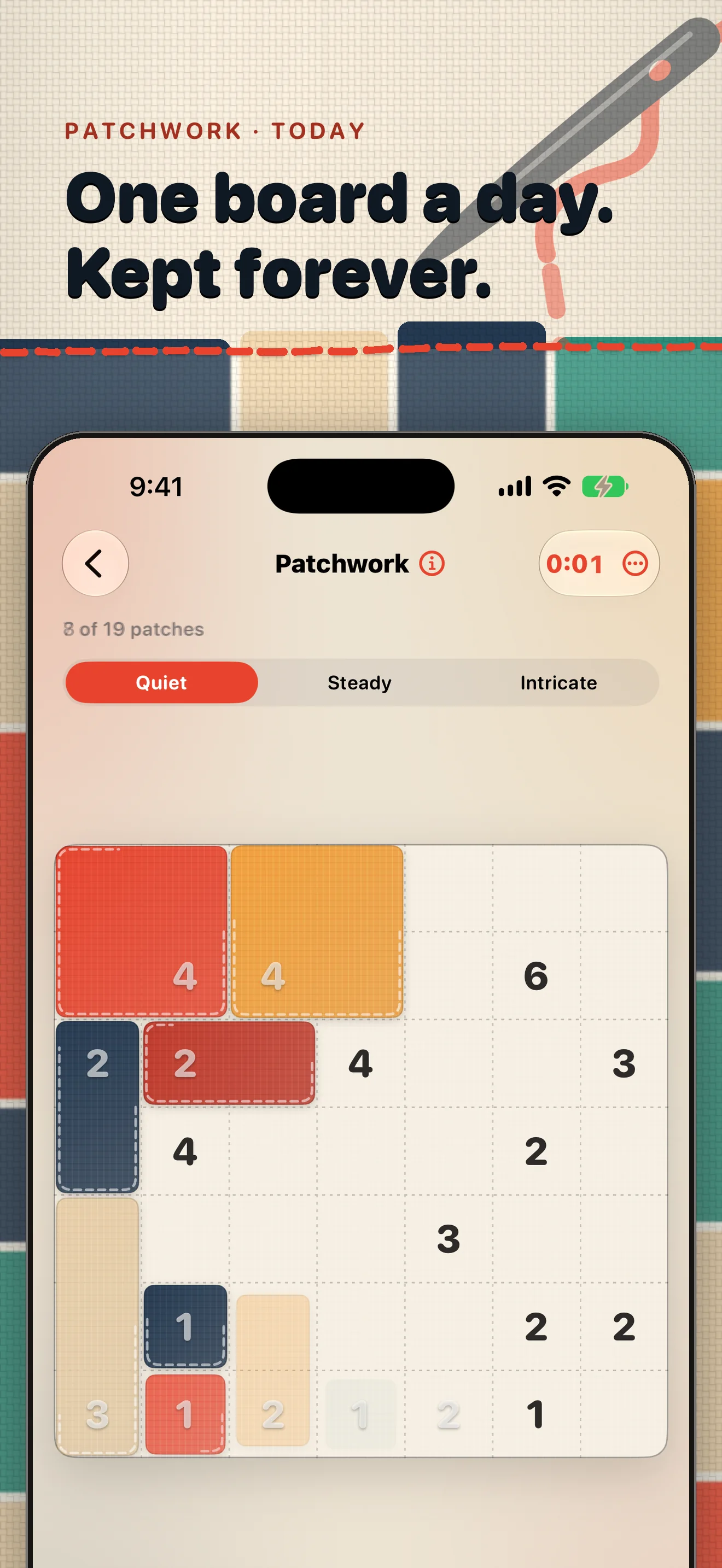
Coverlet is a daily quilt logic game for iPhone and iPad. You are given a board of clues and empty cells. Your job is to turn those clues into a complete pattern: make the right shapes, place them without overlap, and leave no cell behind. When the board is solved, it becomes part of your personal quilt.
You do not need to know a special puzzle vocabulary before you begin. The app introduces eight techniques—Patchwork, Appliqué, Piecing, Stitchline, Rosette, and Buttons—so you can start with the most approachable board and gradually find the kind of reasoning you enjoy.
1. Choose a board that fits your moment
Each day offers three sizes: Quiet, Steady, and Intricate. Quiet is a good place to start if you are learning the rules or only have a few minutes. Steady gives you more room to compare possibilities. Intricate is there when you want a longer, more concentrated session.
There is no advantage to picking the hardest board. The useful habit is to choose the board you can meet with attention. You can pause and return later, so a board does not have to be finished in one sitting.
2. Make your first move
Begin by looking for the clue that has the fewest possible shapes. A small number often has only a couple of ways to fit. A clue near a corner or edge is also helpful because the board itself removes some possibilities.
- Find a clue that can only stretch in one or two useful directions.
- Count the cells its shape would need to cover.
- Reject any shape that runs off the board or contains another clue.
- Place the shape only when it leaves a sensible home for the surrounding clues.
Think of each move as a small proof. You are not guessing where a piece looks nice; you are showing why that piece must belong there.
3. Solve with certainty, not speed
Once one piece is placed, use the new edges it creates. A finished rectangle rules out those cells for the rest of the board. Nearby clues may now have fewer choices, and a space that looked open may have only one possible owner.
When you are stuck, try these gentle checks:
- Count the area. Make sure a candidate shape covers exactly the number shown by its clue.
- Watch the neighbours. One rectangle should not contain two clues, even if its area is correct.
- Look for stranded cells. A move that leaves a single cell cut off may be impossible, even if it fits locally.
- Compare alternatives. If two shapes remain, look for a cell that only one of them can cover.
If you make a wrong turn, that is information, not a failure. Step back to the last uncertain boundary and test the next possibility. The calmest solves are often the ones where you pause long enough to see why a tempting shape cannot work.
4. Finish the board and keep the block
A board is complete when every cell belongs to one piece, every piece has the right area, and no two pieces overlap. The final check should feel like reading back a sentence: each part explains the next, and the whole pattern is covered.
After you solve, Coverlet turns the result into a quilt block. That small record is the reward for returning, not a score you need to optimize. Visit the download page when you are ready to start your first daily board, or explore the rectangle logic behind Coverlet for a deeper look at the Patchwork technique.
Coverlet’s core puzzles are generated on-device, so you can play offline after downloading the app. No account is required for core play, and your quilt stays on your device. The interface is designed for a quiet reading pace with clear labels, strong color contrast, and touch targets that work on both iPhone and iPad. You can also read the accessibility details before you begin.
A good first session
For your first visit, choose Quiet, solve one board without rushing, and notice which clue gave you the clearest starting point. Tomorrow, try another board and compare the feeling rather than the time. Coverlet is built around that small rhythm: one puzzle, one patch, one more piece of a quilt that gradually becomes yours.
Start with today’s puzzle.
Download Coverlet free on iPhone and iPad. Play offline, keep your quilt private, and return whenever a quiet minute appears.
 Scan to downloadOpen the App Store from a desktop screen.