 Coverlet
Vision Pro puzzle games: how spatial screens change a logic game
Vision Pro can change how a puzzle sits in the room without changing the rule that makes it satisfying. The best experiences are spatial where it helps and restrained where it does not.
By Mourad Hamdi · Last reviewed
Spatial does not have to mean spectacle
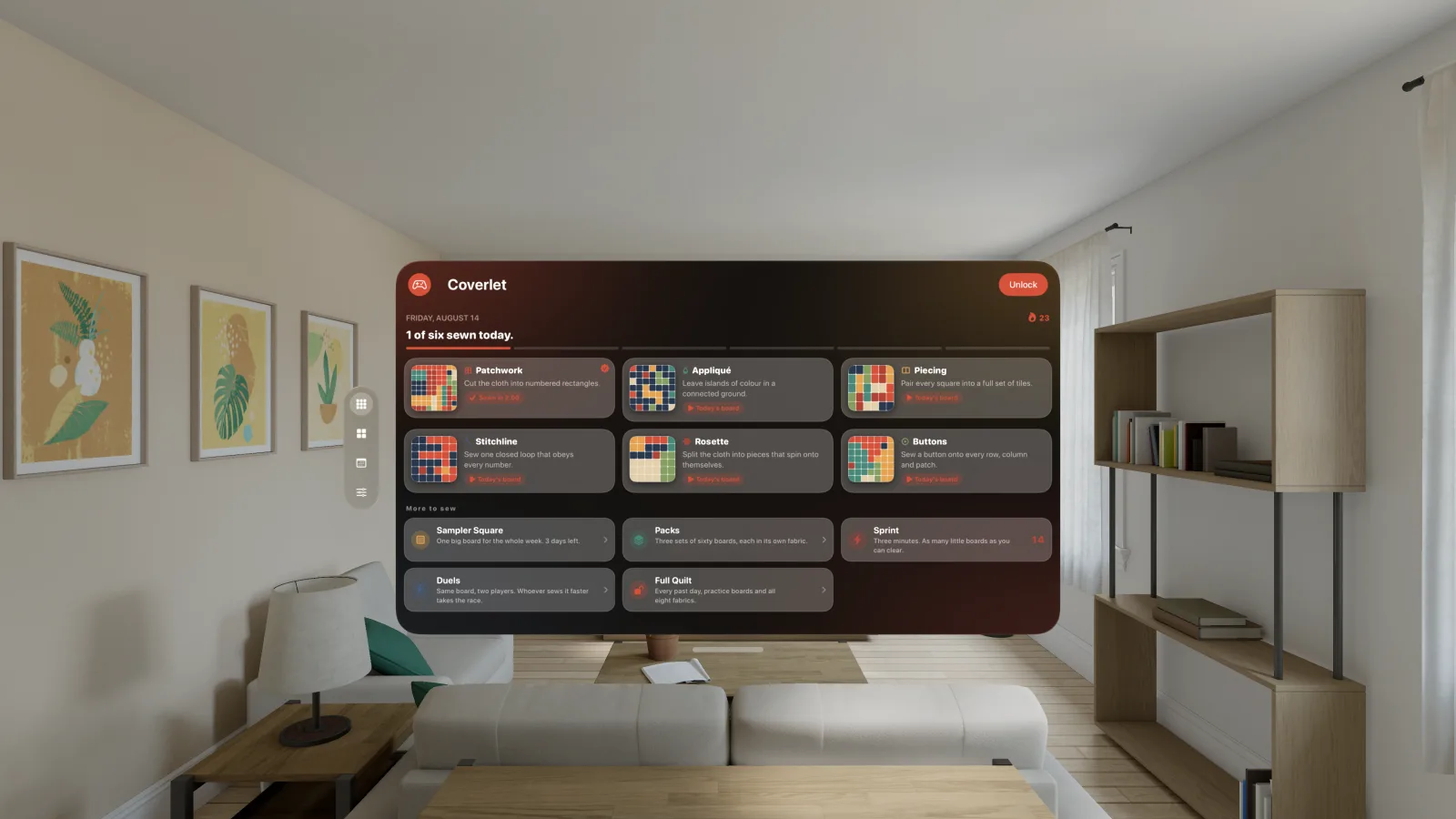
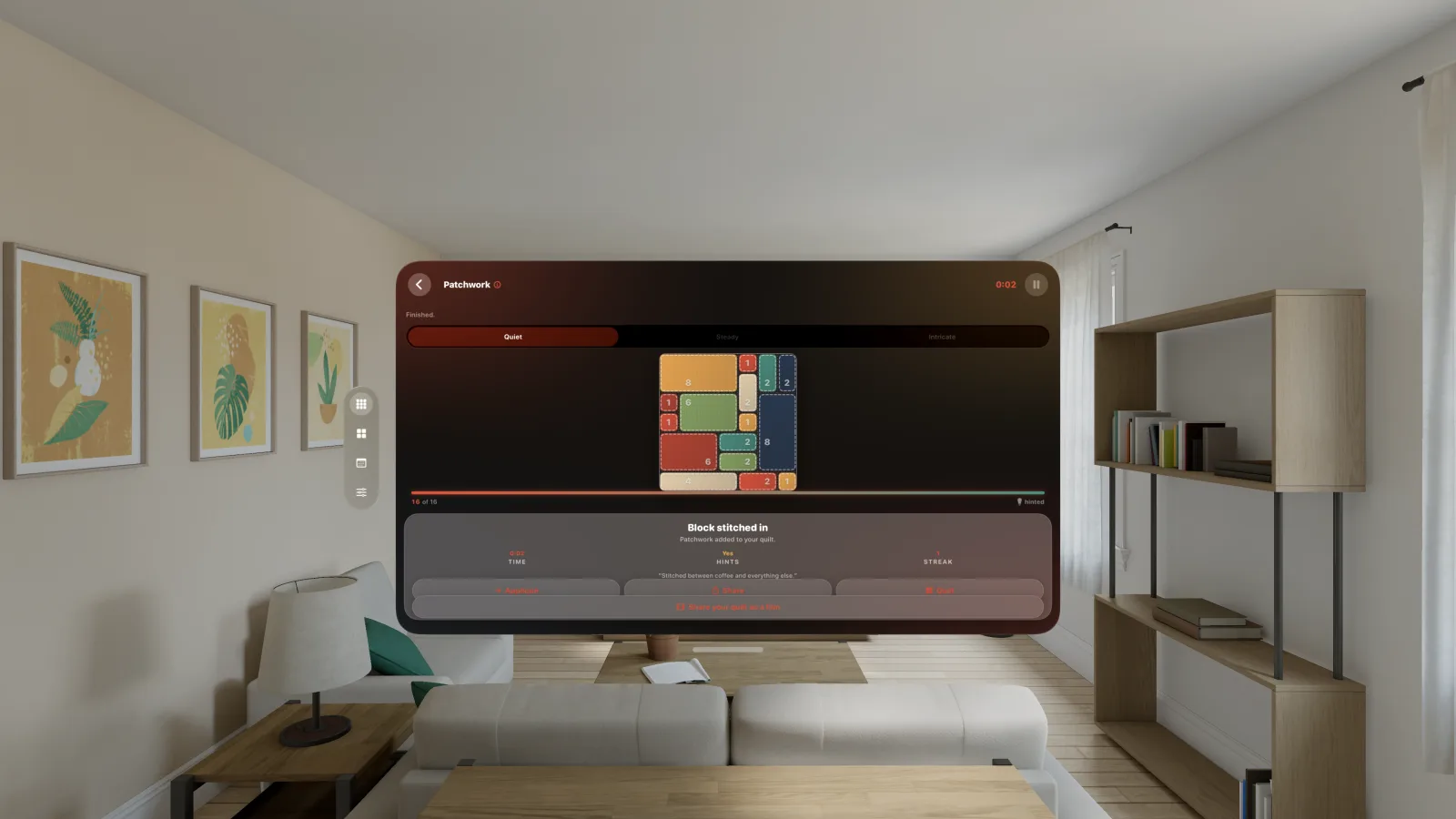
A puzzle can benefit from Vision Pro without placing the player inside a fictional world. A stable window can make clue numbers easier to read, give the board a comfortable physical scale, and let the player place the game where the surrounding environment is least distracting. That is a spatial improvement even when the mechanic remains a two-dimensional logic board. The honest question is not “is it immersive?” It is “does the spatial context make the deduction clearer, calmer, or more comfortable?”
Design for eyes, hands, and touch together
Apple’s game design guidance describes visionOS interaction through eyes, hands, touch, and other platform-appropriate inputs (Apple, n.d.). A puzzle should therefore make selection visible, keep targets separated enough to avoid accidental activation, and give confirmation that does not depend on a tiny pointer. Gaze can help a player aim; the hand gesture can confirm; a nearby control can provide an alternative. Spatial input should lower friction around the rule rather than become the rule by accident.
Let the board keep a stable visual scale
Logic depends on relationships. If the board constantly resizes, floats away, or changes depth while the player is comparing clues, the spatial layer competes with the puzzle. A good Vision Pro game lets the player choose a comfortable window size and keeps the selected cell, line, region, or pattern readable. Larger does not always mean better; the right scale leaves enough context around the active deduction without forcing the player to scan the room for the next control.
Treat comfort and accessibility as part of the puzzle
Spatial computing adds a new set of comfort questions: how long the player looks up or down, how much hand movement is required, whether motion is optional, and whether visual contrast remains strong against the surrounding environment. A puzzle should offer calm feedback, predictable focus, and a clear way to pause. Existing research on games and well-being emphasizes that outcomes depend on design and context rather than being guaranteed by the category “game” (Pallavicini et al., 2018). Spatial polish should follow the same humility.
Coverlet’s windowed approach
Coverlet’s current Vision Pro guide describes the app as a focused window in Shared Space, with the board centered and the surrounding controls kept readable. It explicitly does not claim an immersive mode, phone-only Live Activities, or other features that are not part of that destination. This is a useful product pattern: preserve the visual identity and core logic, then name the spatial context and the missing features. The Vision Pro platform page is the source for current release-aware details.
Continuity should preserve identity, not invent progress
A Vision Pro build may share an Apple account, Game Center identity, or purchase status with other Apple devices, but that does not mean every daily board is identical. Apple documents Game Center as a platform service and App Store Connect supports groups for sharing configured leaderboard, achievement, and challenge data (Apple, n.d.). Coverlet should say which records cross the boundary, which board is generated for the current device, and whether a shared streak is reconciled or simply copied. The user should never discover that a puzzle was “completed” by a device they did not use.
A practical Vision Pro puzzle checklist
Before downloading, check whether the game is windowed or immersive, how selection works, whether motion can be reduced, whether the board can be resized, whether the central solve works offline, and which release is live. Look for authentic captures rather than concept art. A platform page that names limits is more useful than a page that repeats “spatial” without explaining the interaction. The same checklist also helps separate a good Vision Pro puzzle from a flat iPad app that happens to launch in a headset.
Choose Vision Pro for the spatial moment you actually want
Vision Pro makes sense when a puzzle benefits from a stable personal screen, comfortable scale, or the ability to place a board alongside the room. It is not automatically the best device for a quick commute or a shared television. Let the context decide. Coverlet can remain a quiet, windowed logic ritual on Vision Pro while offering touch-first iPhone and iPad versions, pointer-led Mac design, remote-native Apple TV play, and compact Apple Watch play. The platform story is stronger when each device has a reason to exist.
Continue with the complete Apple platform guide, then read Coverlet’s Vision Pro page for the current implementation and release boundary.
References
APA 7 references for the research discussed in this article. Last checked 29 Aug 2026.
- Apple. (n.d.). Designing for games. Apple Developer. Retrieved August 25, 2026, from https://developer.apple.com/design/human-interface-guidelines/designing-for-games/ Source
- Apple. (n.d.). Game Center. Apple Developer. Retrieved August 25, 2026, from https://developer.apple.com/design/human-interface-guidelines/game-center Source
- Pallavicini, F., Ferrari, A., & Mantovani, F. (2018). Video games for well-being: A systematic review on the application of computer games for cognitive and emotional training in the adult population. Frontiers in Psychology, 9, 2127. Source
Frequently asked
Questions about this puzzle
What makes a good puzzle game for Vision Pro?
It should place the board at a comfortable scale, make eye and hand interaction understandable, avoid unnecessary motion, and use spatial context to improve clarity rather than adding spectacle for its own sake.
Does a Vision Pro puzzle game need to be immersive?
No. A focused window can be an excellent spatial experience when the puzzle benefits from stable scale and placement. Immersion is a product choice, not a requirement for a good logic game.
Is Coverlet an immersive Vision Pro game?
Coverlet’s platform guide describes a focused, windowed visionOS experience rather than claiming an immersive environment. Apple lists Apple Vision Pro as a supported surface, and the page keeps the live 2.1 technique set distinct from features that belong only to other devices.
Can Game Center work on Vision Pro?
Apple’s platform guidance includes Game Center on visionOS, but each app still needs to explain which achievements, leaderboards, challenges, and continuity features it actually implements.
Keep reading