 Coverlet
Seven daily logic puzzles, cut for your wrist.
Coverlet's watch app is a small product of its own: direct taps, concise boards, glanceable progress, and no attempt to shrink an iPhone screen onto the wrist.
The Apple Watch app is included with the current iPhone product; 2.1 adds Gingham to the watch surface for seven techniques.
How it plays here
Tap-sized logic with no scratch space
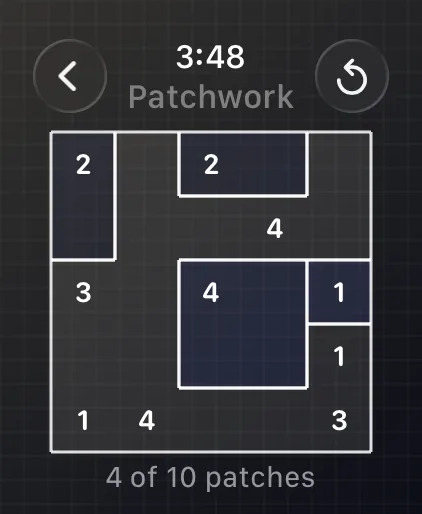
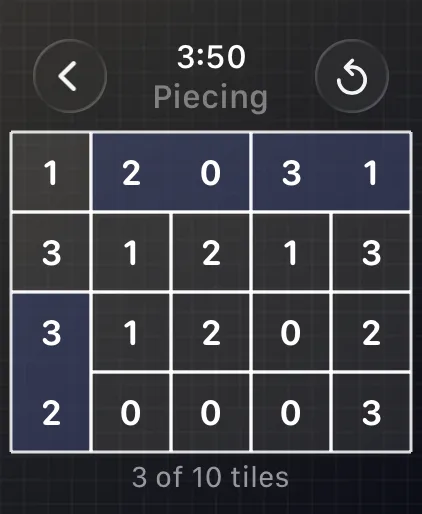
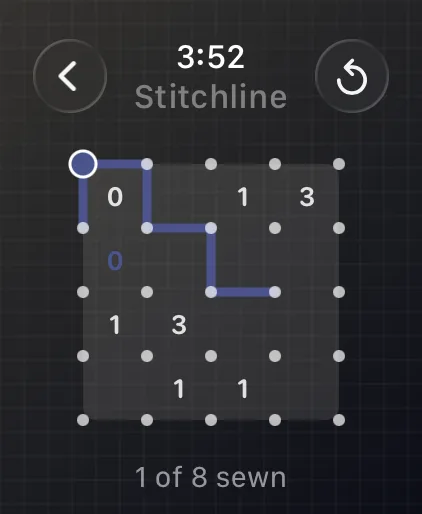
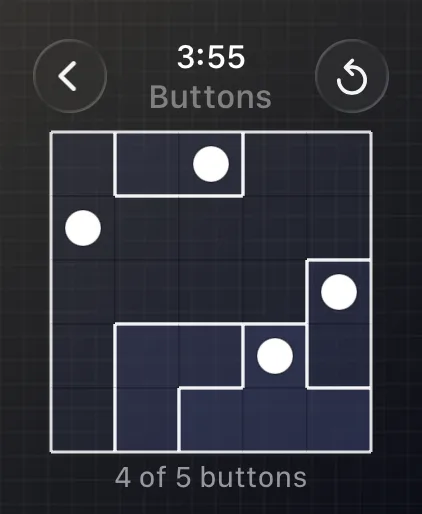
Patchwork, Appliqué, Piecing, Stitchline, Rosette, Buttons, and Gingham each have a watch-specific board and interaction model. The interface stays direct: large targets, compact feedback, and no dependence on drag gestures, timers, or dense explanatory text.
A standalone app
Coverlet is configured to run independently of its companion iPhone app. The watch keeps its own capped solve ledger and can calculate a local streak even when the phone is unavailable. A board should remain a worthwhile few-minute activity on the wrist, not a remote control for a phone screen.
Seven techniques, sized for the wrist
The watch surface carries Patchwork, Appliqué, Piecing, Stitchline, Rosette, Buttons, and Gingham. Cross-Stitch remains part of the eight-technique iPhone, iPad, Mac, and Apple Vision Pro experience, while the watch keeps its smaller board contracts explicit instead of forcing every larger-screen mechanic into a tiny display.
Progress arrives through explicit channels
An Apple Watch cannot read the iPhone's App Group across devices. Coverlet sends a compact snapshot with WatchConnectivity instead. Application context, user info, and complication transfers can arrive out of order, so the watch deduplicates them by timestamp. Complication transfers are rate-limited and reserved for meaningful progress changes.
One streak, never two added together
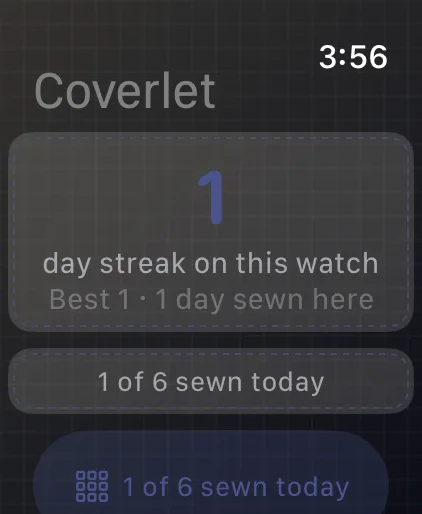
When the phone has a recent stamped streak, that number can lead. When it is stale, the watch's local streak can speak for itself. The two values are never summed. That rule prevents the same habit from being counted twice while still letting the watch remain useful on its own.
Complications that spend updates carefully
Complications surface the day's progress without turning every palette change into a scarce refresh. Content must genuinely differ, a progress counter must increase, transfers must remain, and the daily cap must allow it before Coverlet spends a complication update. Less urgent changes ride the free application-context channel.
Real product media
See Coverlet on Apple Watch.
Platform details
What this version includes.
Feature availability is stated for this platform, not copied from iPhone. Release status is stated against the current App Store product.
- Delivery
- Included with the iPhone app
- Daily techniques
- Seven
- Board sizes
- 5×5, 5×4, and 4×4 by mode
- Difficulty picker
- None
- Standalone play
- Supported
- Input
- Tap-first
- Watch-face complications
- Supported
- Phone connection
- Dated WatchConnectivity snapshot
Questions, answered precisely
About Coverlet on Apple Watch.
Does the Apple Watch app require the iPhone nearby?
No. It is configured to run independently and keeps its own local ledger, while the phone can provide a recent progress snapshot when available.
How many techniques are on Apple Watch?
The current watch surface documents seven: Patchwork, Appliqué, Piecing, Stitchline, Rosette, Buttons, and Gingham.
Are phone and watch boards identical?
No. Apple Watch uses watch-specific board salts and compact sizes. Handoff can open the same unfinished daily mode but does not transfer marks.
Is the watch app a separate App Store purchase?
No. It is bundled with the Coverlet iPhone product rather than published as a separate App Store record.