 Coverlet
More room for the board. Less between you and the logic.
The full Coverlet experience opens into a spacious, adaptive layout designed for portrait, landscape, Split View, and the windows in between.
Coverlet 2.1 is live on the App Store for iPad with eight daily techniques.
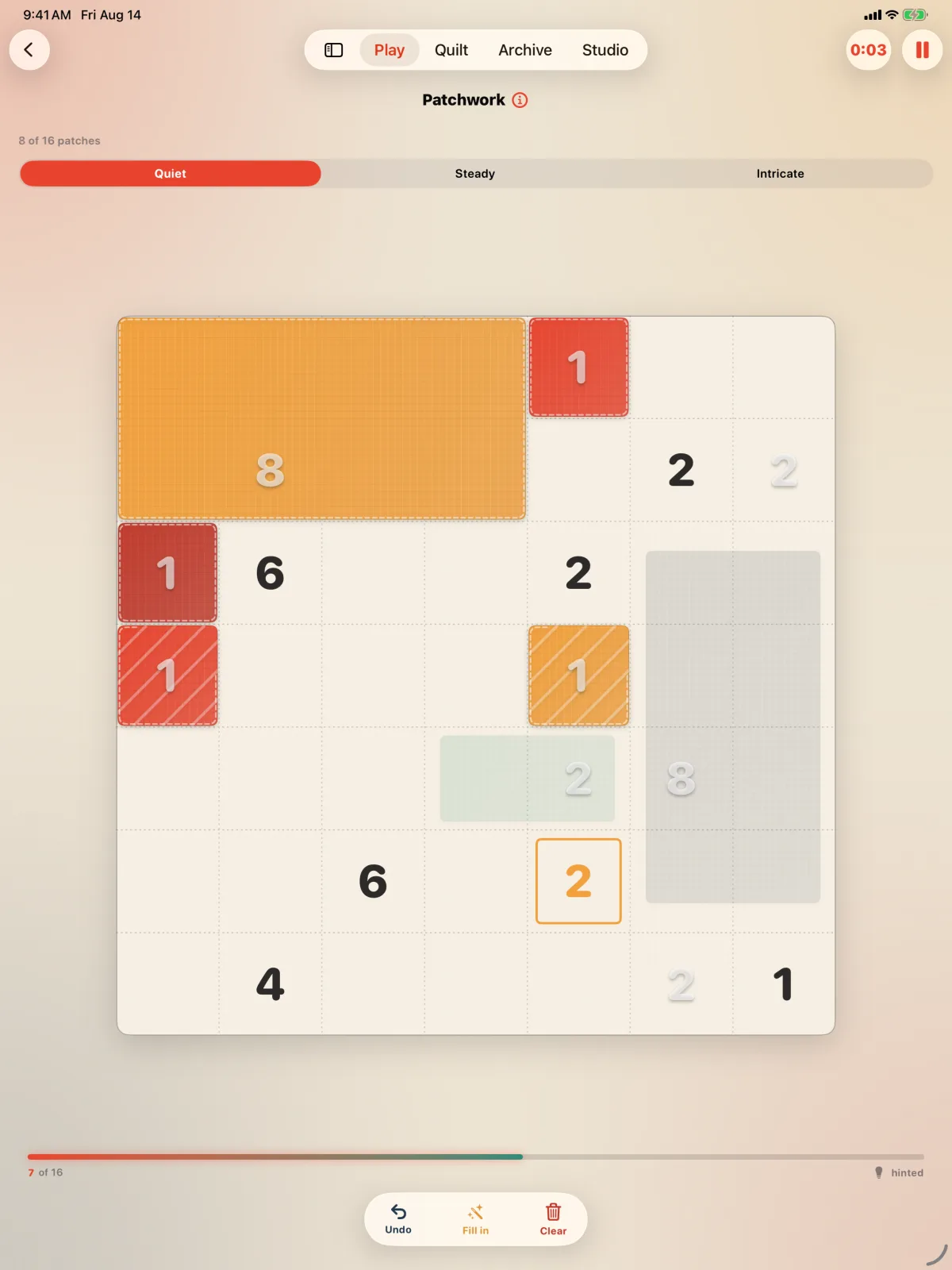
How it plays here
A layout that earns the larger screen
Coverlet does not simply enlarge the iPhone column. On a wide regular-width canvas, controls move into a side rail while the puzzle remains centered and stable. The layout only adopts that shape when there is enough real room for both rail and board; square Stage Manager windows and narrower split-screen widths fall back before the board is squeezed.
Rotate without losing your place
The board and its controls are built from the same state across layout changes, so rotating the device or resizing a window moves the surrounding chrome without rebuilding the puzzle. Portrait stays focused and compact. Landscape can expose more context. The goal is continuity: the deduction you were considering should remain the same deduction after the device moves.
A fuller view of eight techniques
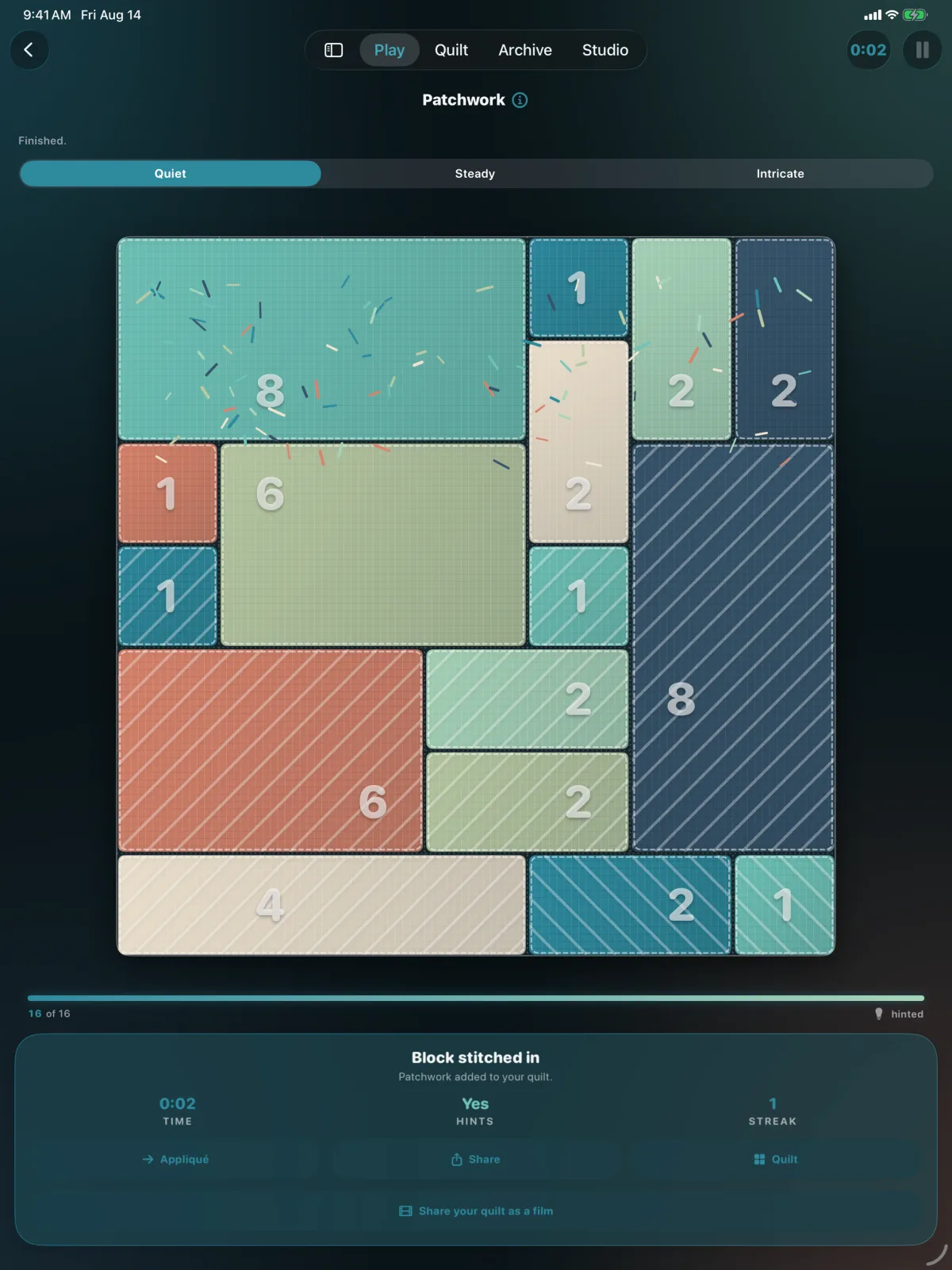
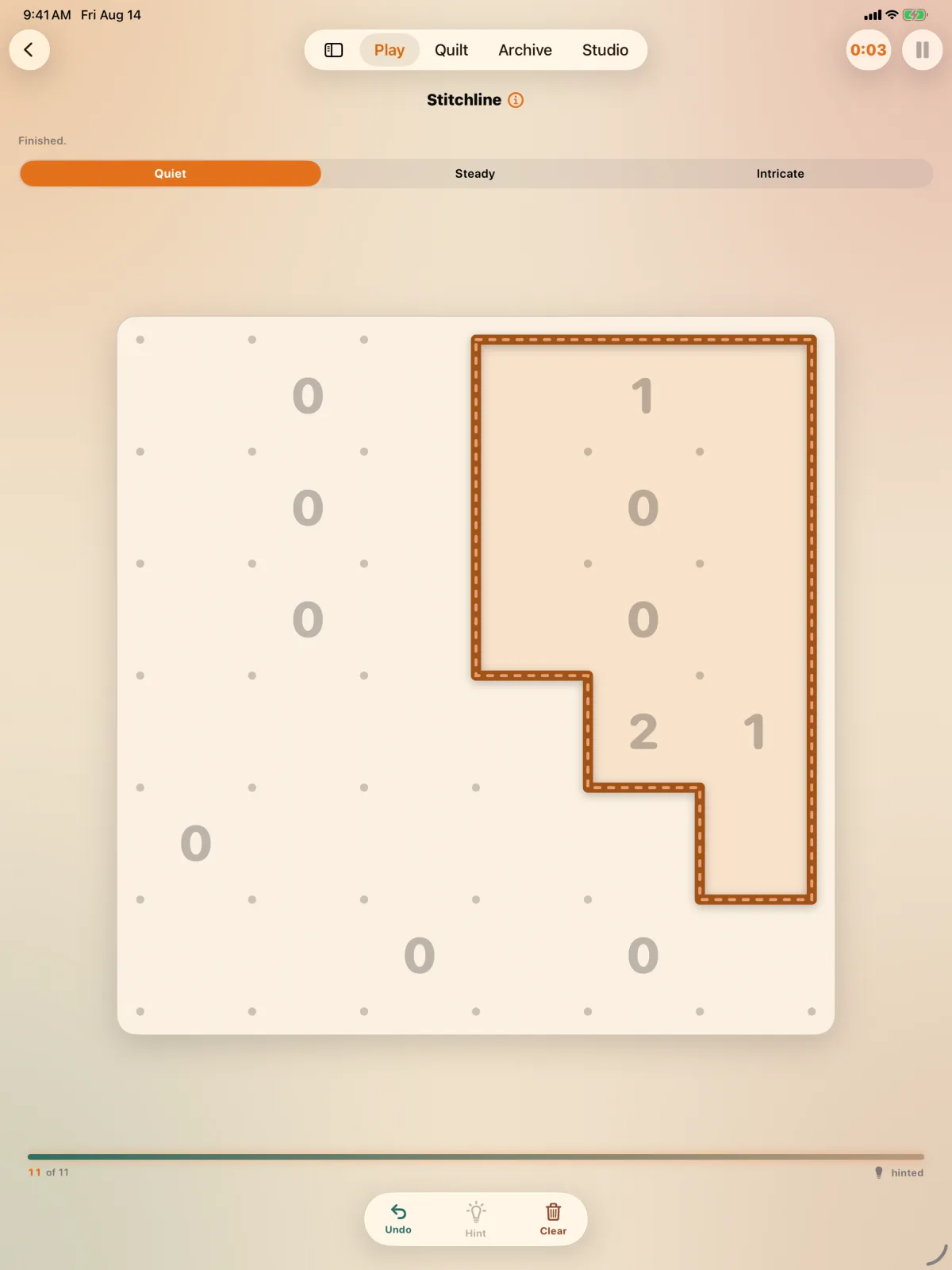
Patchwork, Appliqué, Piecing, Stitchline, Rosette, Buttons, Cross-Stitch, and Gingham all benefit from the larger canvas in different ways. Borders have more breathing room, region patterns are easier to compare, loops can be read at a glance, and the surrounding history or controls can remain present without crowding the cells. Quiet, Steady, and Intricate sizes keep the choice about time—not merely screen size—in the player's hands.
Touch first, keyboard welcome
The board remains built for direct touch, with alternatives to gestures where precision or motor access matters. iPad also adds keyboard shortcuts and hover feedback where the hardware supports them. The interface uses the extra capability as a second path, not as a requirement, so the experience still makes sense with an iPad alone.
The complete quilt and Apple integrations
My Quilt, archives, packs, palettes, Game Center, widgets, App Intents, and Sprint Live Activities are all part of the iPad experience. Core boards stay on-device and playable offline. Optional Apple services still follow their own connectivity and account requirements.
Real product media
See Coverlet on iPad.
Platform details
What this version includes.
Feature availability is stated for this platform, not copied from iPhone. Release status is stated against the current App Store product.
- Daily techniques
- Eight
- Adaptive layout
- Portrait, landscape, Split View, Stage Manager
- Wide-screen controls
- Side rail when space permits
- Input
- Touch, keyboard, pointer
- Core play
- On-device and offline
- Widgets and Live Activities
- Supported
Questions, answered precisely
About Coverlet on iPad.
Is Coverlet a stretched iPhone app on iPad?
No. The iPad layout adapts its navigation, grids, and puzzle controls to the available canvas, including a side rail on sufficiently wide layouts.
Does Coverlet work in Split View?
The interface is designed to fall back to a compact column when a split or Stage Manager window is not wide enough for the side rail and board together.
Can I use a keyboard?
Coverlet includes keyboard shortcuts and pointer-aware feedback on supported iPad setups, while keeping touch as a complete input path.
Is the iPad 2.1 experience released?
Yes. Coverlet 2.1 is published for iPad with all eight daily techniques. Mac and Apple Vision Pro are also on 2.1; Apple TV remains on 2.0, and the bundled companion surfaces retain their own controls and feature sets.